
Amazon Ads Brand Refresh
Website and Content Management System Update

This work is password protected
To respect confidentiality, access to this page is restricted. Please enter the password to view the project. Get in touch at chloe.mk.lee@gmail.com if you'd like more information.
Unlock to view︎
Amazon Ads Academy
Rebuilding Amazon Ads's Learning Console
Amazon Ads Academy
Rebuilding Amazon Ads's Learning Console
This work is password protected
To respect confidentiality, access to this page is restricted. Please enter the password to view the project. Get in touch at chloe.mk.lee@gmail.com if you'd like more information.
Unlock to view︎
Compass
Student Growth & Mentorship Program

In collaboration with Carnegie Mellon University’s School of Design, Prospect Studio partnered with the Santa Clara Unified School District (SCUSD) to envision an equitable future for education. Many SCUSD students face social and economic disparities that limit access to opportunities and quality learning. As students often move away after graduation and opportunities outside school are limited, we created Compass, an open digital platform that supports self-agency and exploration through reflection, mentorship, and real-world experiences.
Design Team
Karen Escarcha, Lulin Shan, MK Lee, Peter Cederberg
Duration
Feb – May 2021
My Role
User research, concept development, branding design, UI/UX design, prototyping, concept video production
Compositon of Compass

Compass bridges digital and real-world learning through three connected experiences designed to help students explore, connect, and reflect.
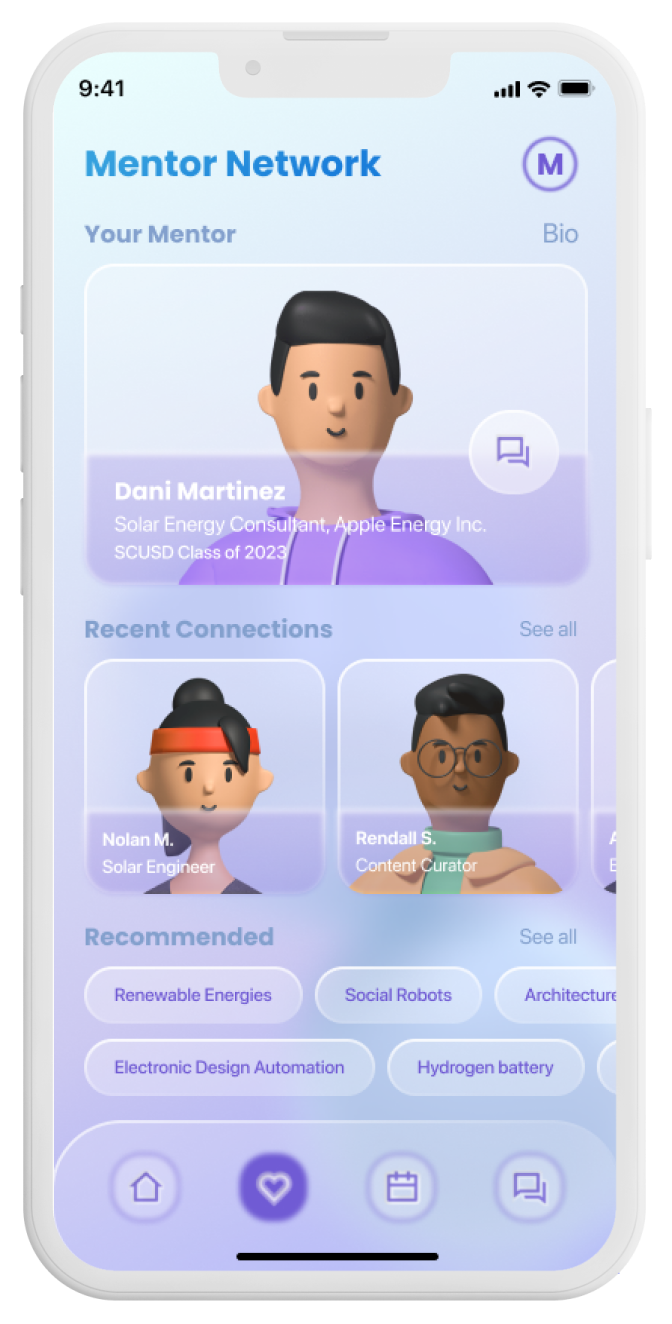

1. Student & Mentor Network
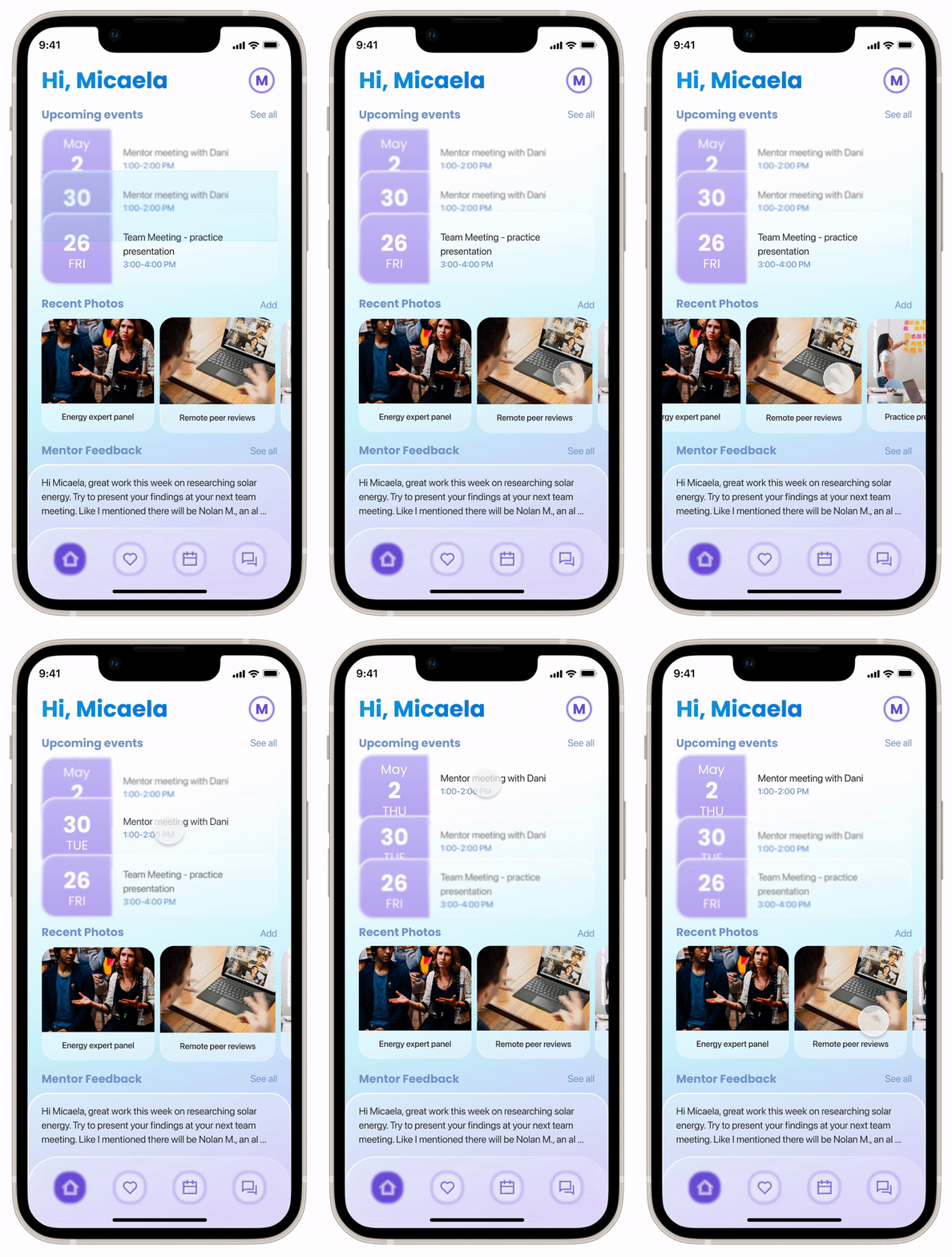
The student portal helps students stay up-to-date with Compass events and meetings.
The system includes
- Mentor Network that connects students with verified experts for guidance and support.
- Communication Center that allows mentors to record feedback on student activities and suggest next steps for their growth.
2. Compass Community Hub
High school juniors from across SCUSD can use this space to
- Meet mentors, peers, and friends in person
-
Collaborate with teammates on shared projects
- Reflect privately and plan for personal growth

3. Virtual Assistant for Reflection
The virtual assistant guides students through self-reflection activities that help them gain self-awareness and confidence. It asks questions about
-
Ongoing projects
-
Current challenges or concerns
- Topics they’d like to share with their mentors

Features of Compass Digital App


Reflection Welcoming Page
The system welcomes students with a snapshot of their past week, helping them recall recent experiences and ease into self-reflection.
The system welcomes students with a snapshot of their past week, helping them recall recent experiences and ease into self-reflection.


Reflection Prompts
A conversational virtual agent guides students through reflection prompts. The activity consists of two parts (1) an open-entry section and a scale-based reflection, (2) helping students capture their thoughts and experiences more easily.
A conversational virtual agent guides students through reflection prompts. The activity consists of two parts (1) an open-entry section and a scale-based reflection, (2) helping students capture their thoughts and experiences more easily.
Sharing with Mentor
Compass helps students share their reflections with mentors and get ready for meetings, supported by an embedded voice assistant that makes preparation easier and more natural.
Compass helps students share their reflections with mentors and get ready for meetings, supported by an embedded voice assistant that makes preparation easier and more natural.

AI Taxonomy
Interactive System to Envision AI
As AI becomes more prevalent in the industry, professionals without a technical background need resources that help them understand how to work productively with it. Many designers mistakenly view AI as a human-like system capable of holistic reasoning, when in reality, current technologies operate through narrower, modular processes. To address this, our team developed an AI capability taxonomy that breaks down what AI can realistically do today. We then designed an interactive website that helps designers explore these capabilities step by step, enabling them to recognize AI’s real potential, spark new ideas, and design innovative AI-driven products and services.
Team
Weiting Gao, Anita Sun (2021)
Proud Taranat, Shuyu Liu, Joey Wang (2022)
John Zimmerman, Nur Yildirim, Jodi Forlizzi (Advisors)
Proud Taranat, Shuyu Liu, Joey Wang (2022)
John Zimmerman, Nur Yildirim, Jodi Forlizzi (Advisors)
Duration
Sept 2021 – May 2022
My Role
Research, concept development, service design, UI/UX design and prototyping


Develop a taxonomy of AI capabilities to portrait what AI can and cannot do
In order to productively work with AI and envision AI-powered products, the professionals need to know what AI can and cannot do. We conducted two threads of research: (1) the key categories of AI capabilities; (2) the key applications of AI in different industries. For each industry, we selected 2-3 applications and examined the sequences of how AI worked in full details. The taxonomy development process involved close literature reviews of scientific journals, business journals and AI datasets.

(1) Categories of important AI capabilities

(2) Applications of AI and how AI works in different industries
Develop a website to make the material available to the public
For the final design, I independently prototyped and developed a website to present the data in the taxonomy.
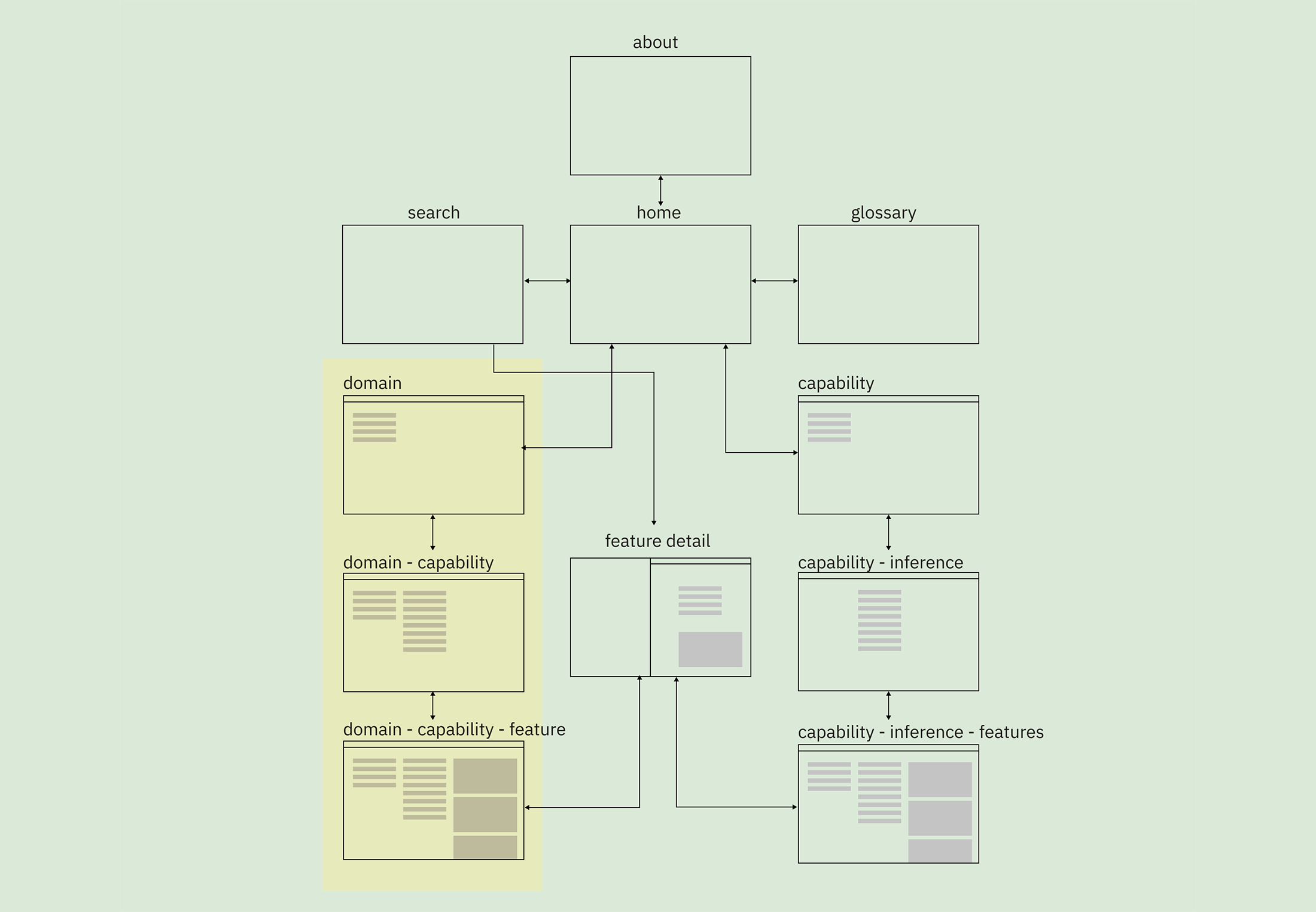

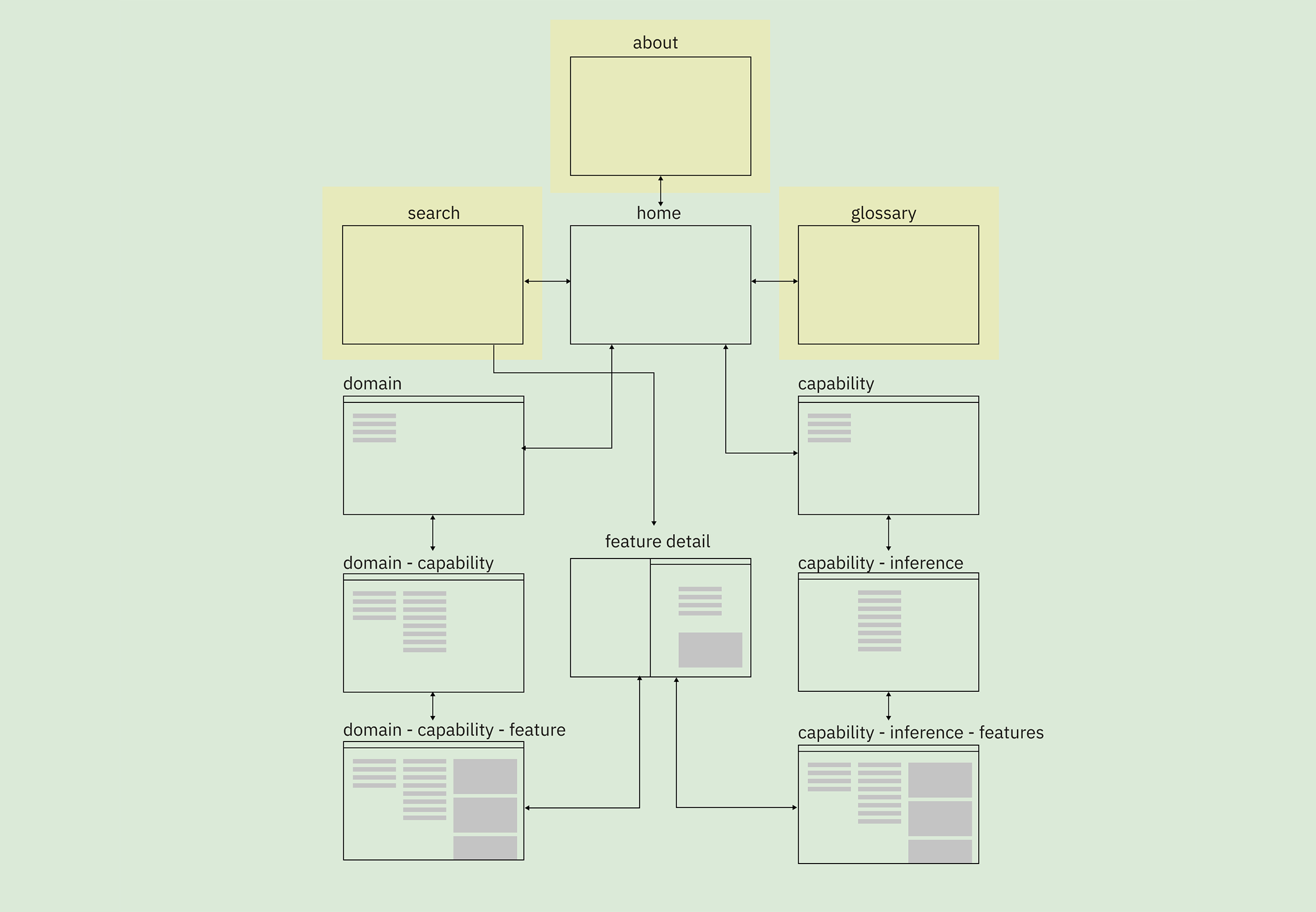
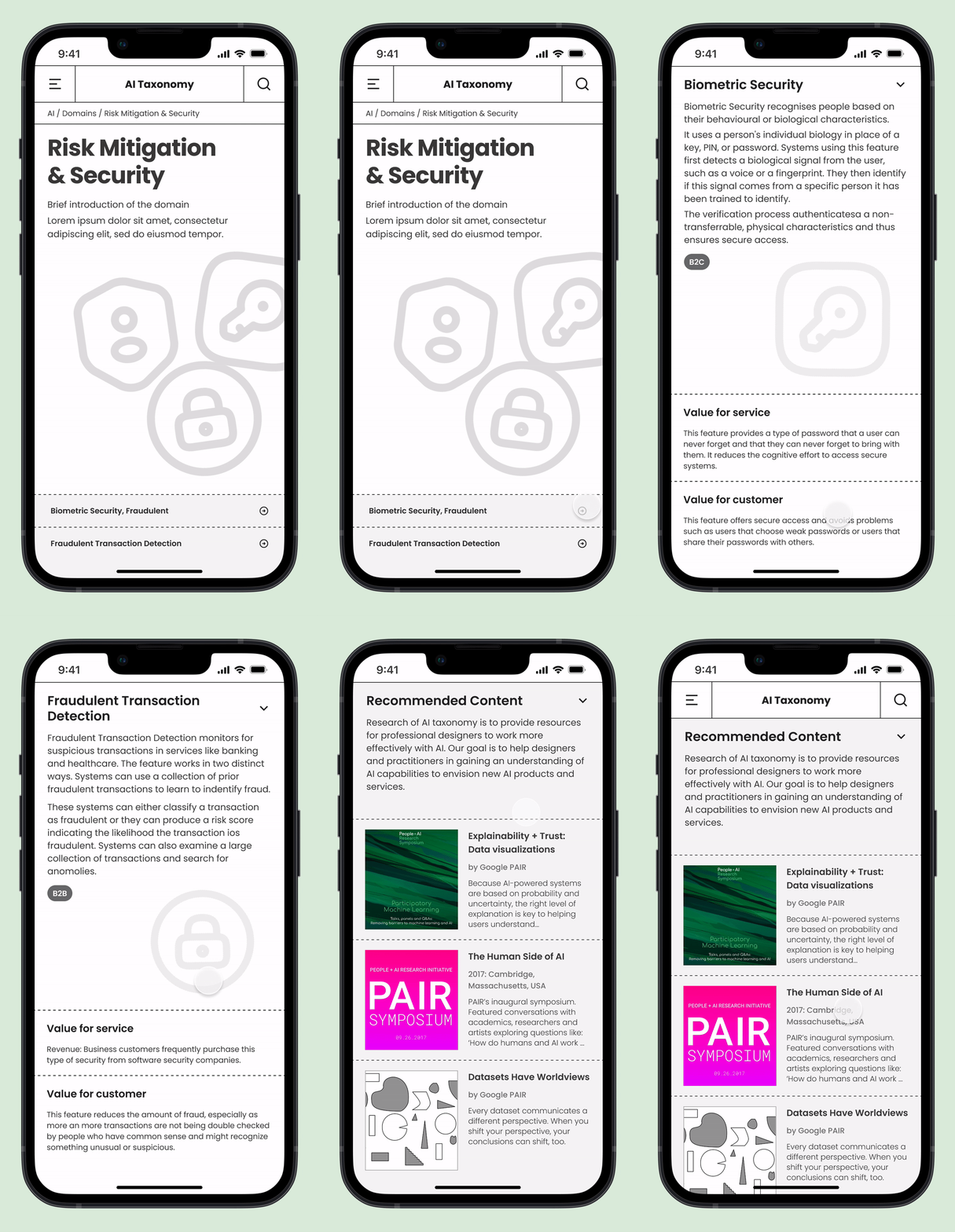
Provide an introduction, overview, and detail of the research
- Main screen shows the overall structure and description of the service.
- The service guide users to a more detailed description as they explore the site.
- Detail pages show a description of each feature, value for service and customers, and recommended articles.
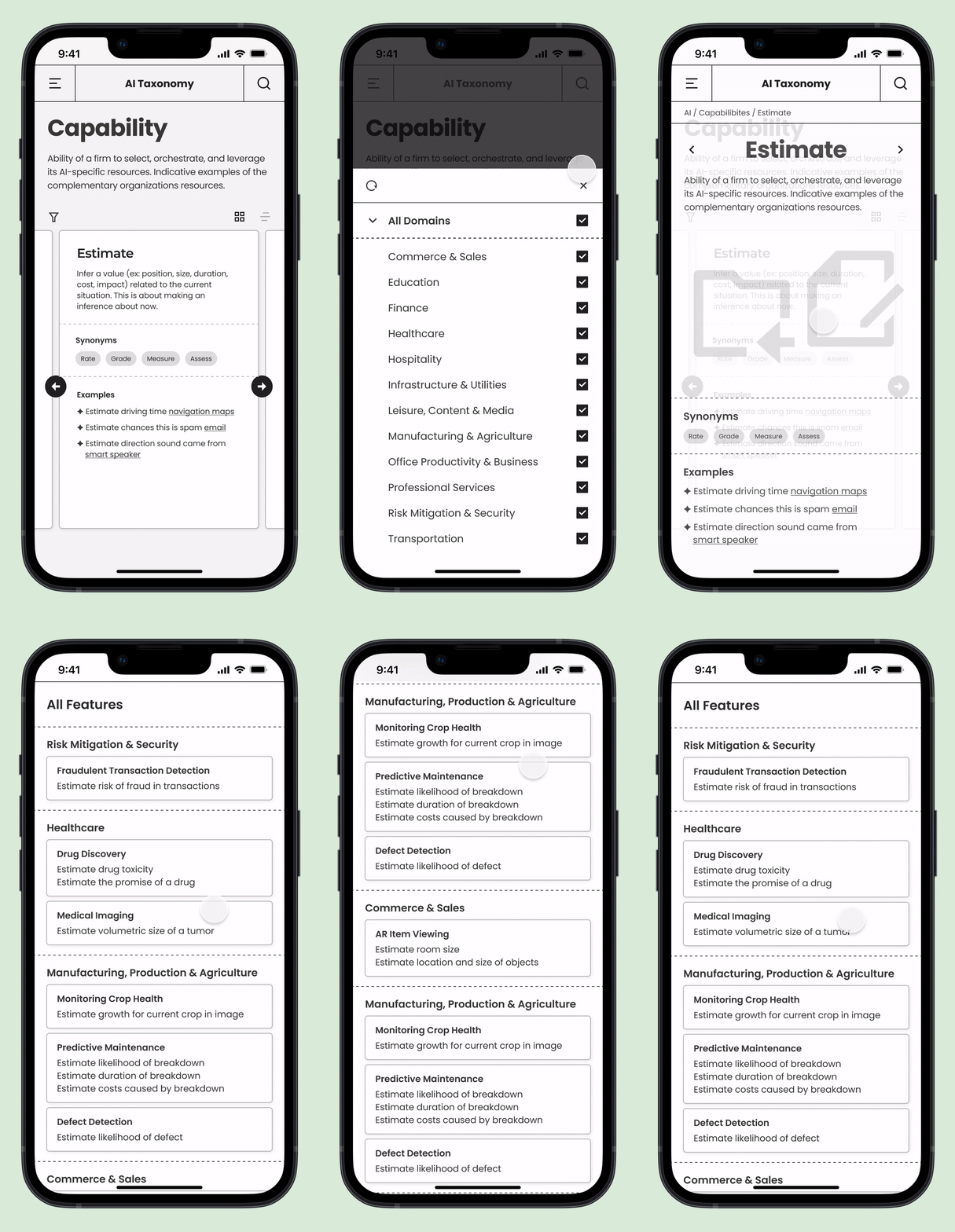
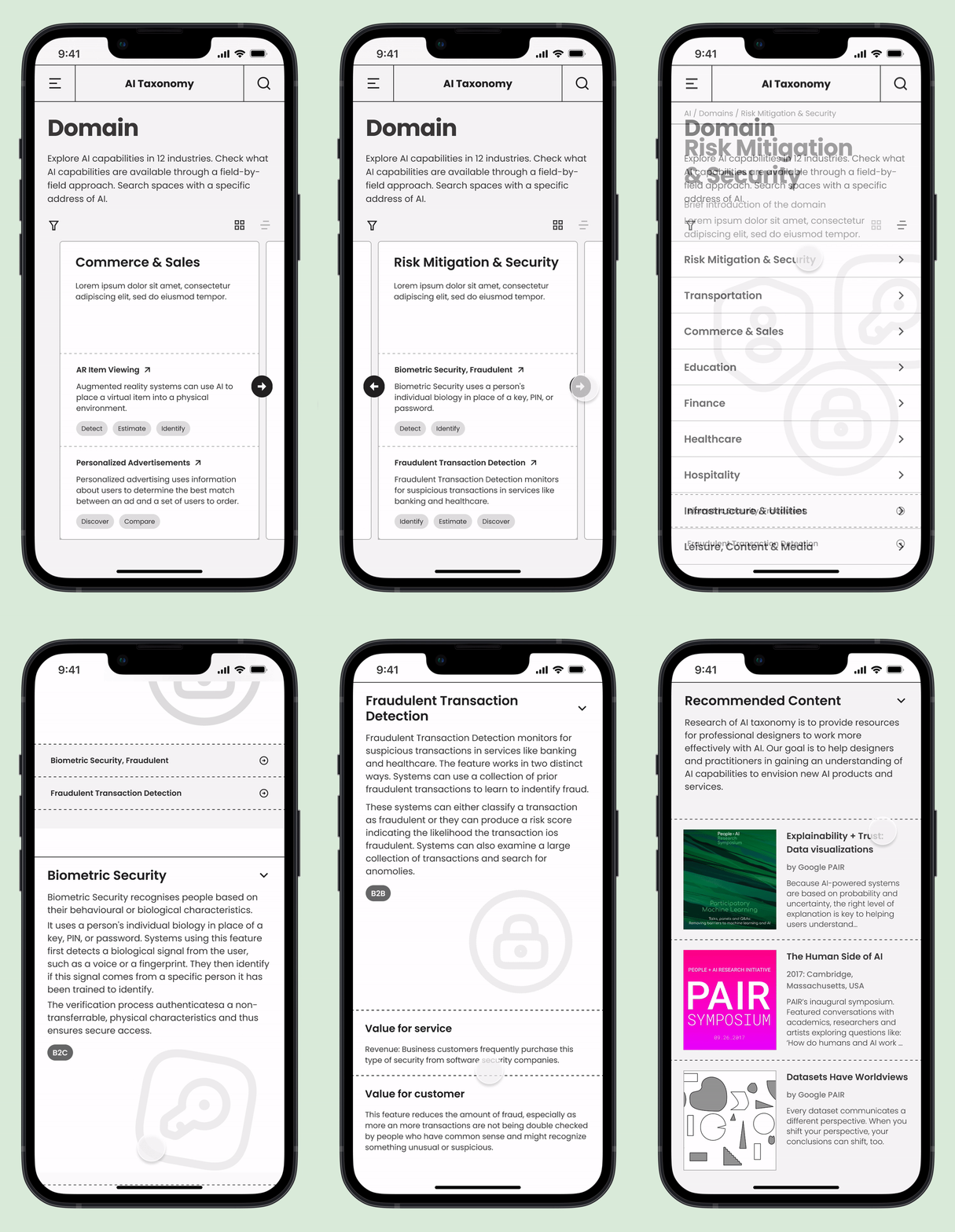
Navigate AI taxonomy and its features in two different directions
- Understand what AI could do by viewing the capabilities that AI features are using and examples of them.
- Learn how AI is performing, starting in the domains and checking which industries AI features belong to.
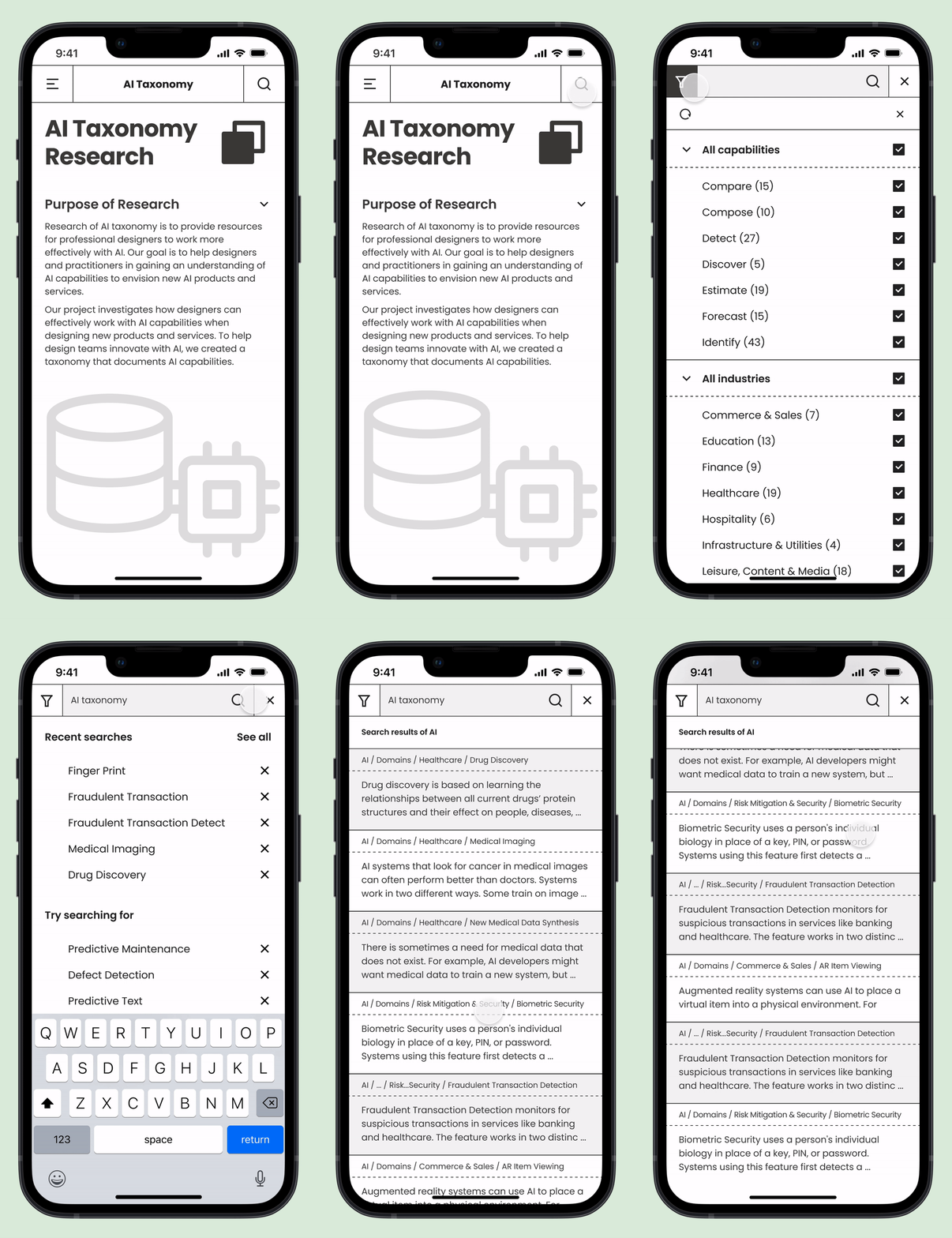
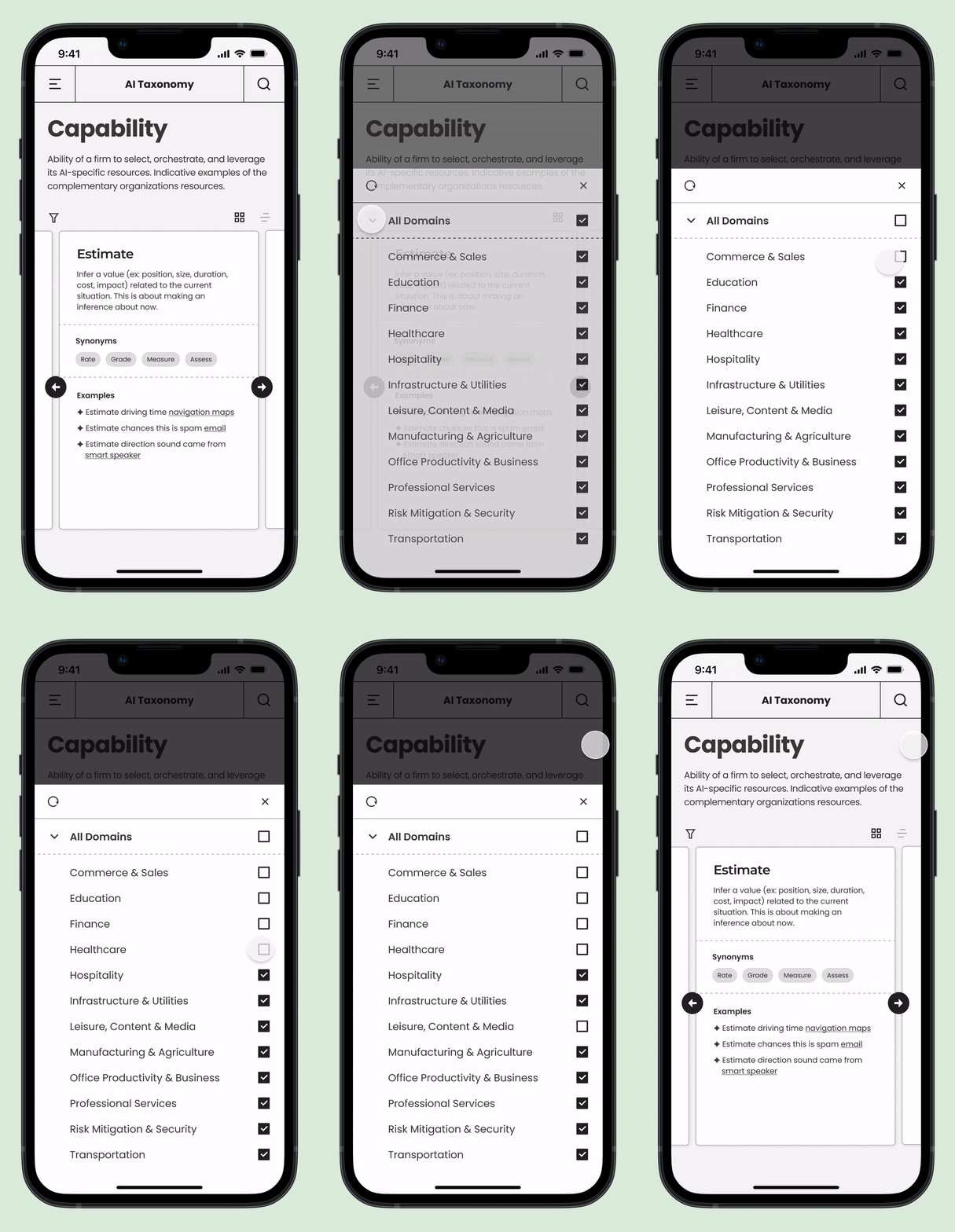
Provide easy access and shortcut with searching and filter function
- Search function not only allows users to find what they are looking for, but also help them understand the AI context in which the search term is being used.
- Users are able to find information efficiently by narrowing down search areas with filter function.
Performance Plus
Performance and OKR Management System

Many organizations struggle to maintain true agility due to rigid systems that make collaboration and performance assessment inefficient. To solve this, we designed and launched Performance Plus, a cloud-based management platform integrating OKR, collaboration, recognition, feedback, and evaluation features. It enables teams to communicate seamlessly, stay proactive, and focus on meaningful outcomes. As the design lead and project manager, I guided the web and mobile experience from defining user needs to delivering a scalable design system that supported rapid adoption across enterprise clients.

Partners
1 PM, 7 Developers, 2 UX Designers
Duration
2018 – 2020
My Role
Project Management, branding design, concept development, interaction and motion design, UI/UX design
Key Impacts
Adopted by 400+ corporate clients within the first year, including Hyundai, Lotte, KIA and SM Entertainment
Collaborated in front-end implementation and deployment, accelerating the delivery timeline from twelve weeks to nine
Strengthened cross-functional workflow between design and engineering through shared component libraries

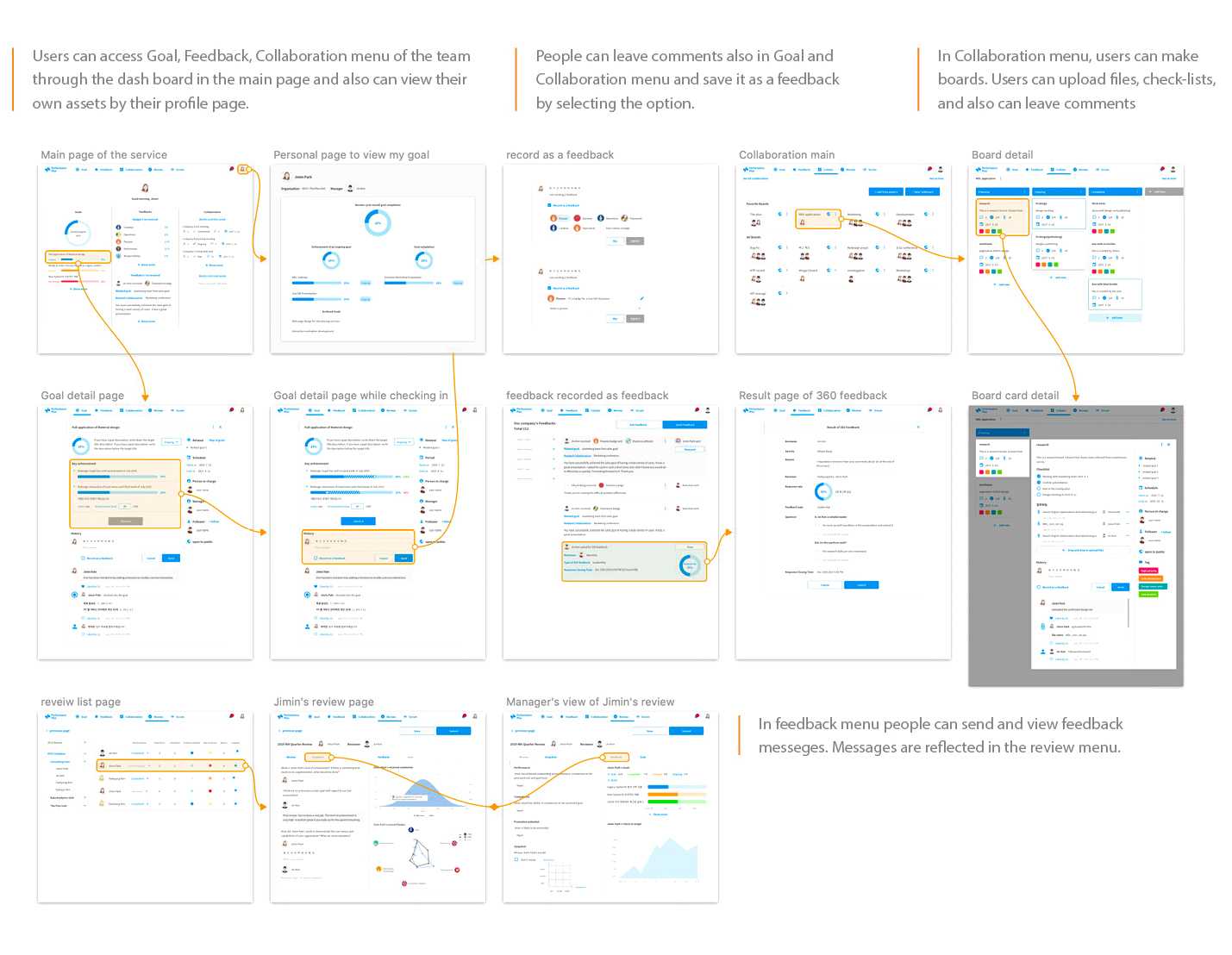

After defining the main functions and their goals, I developed the UI design and wireframes simultaneously to expedite the workflow. Following an agile approach, the design and development processes evolved in parallel to ensure rapid iteration and alignment.
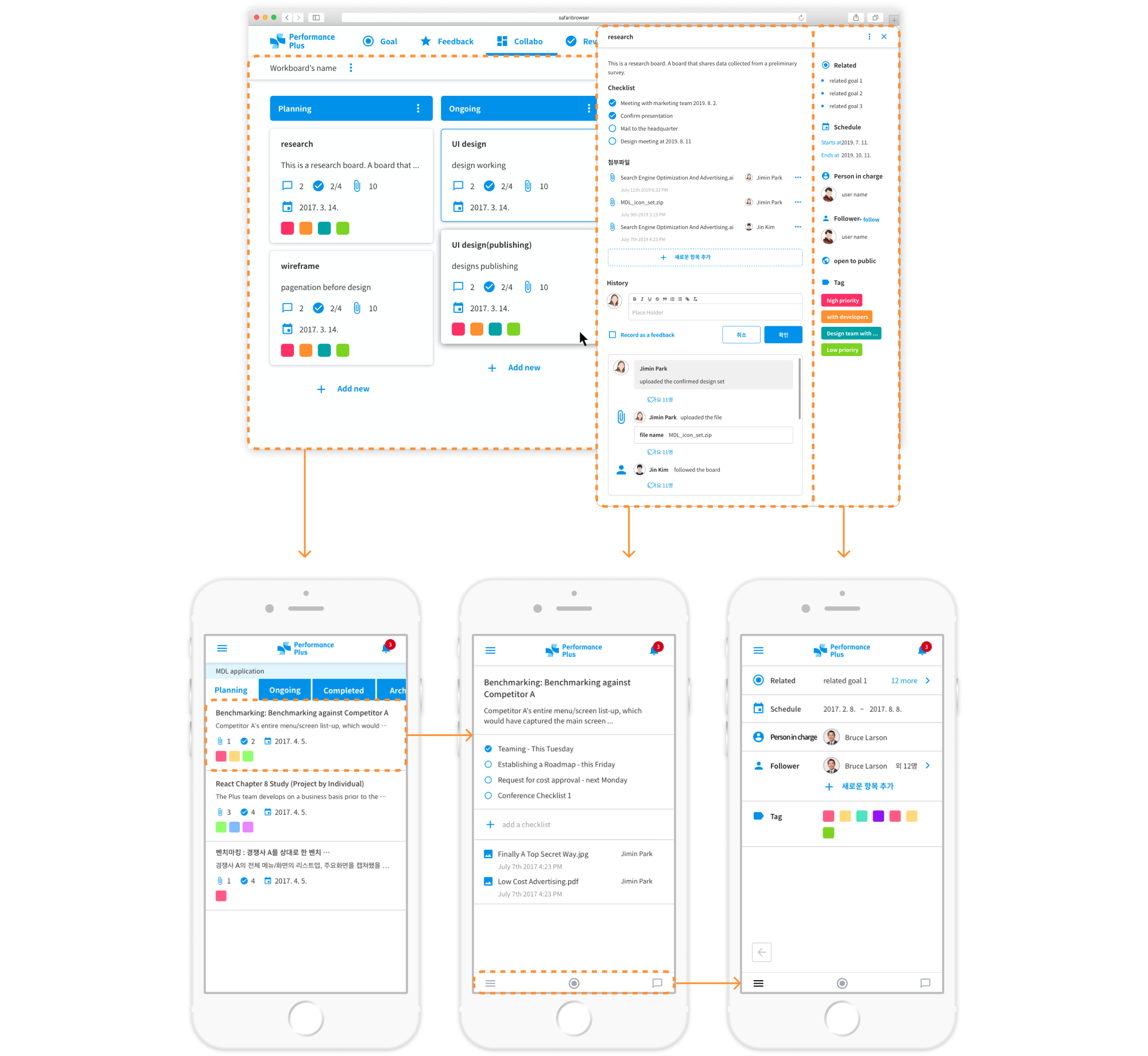
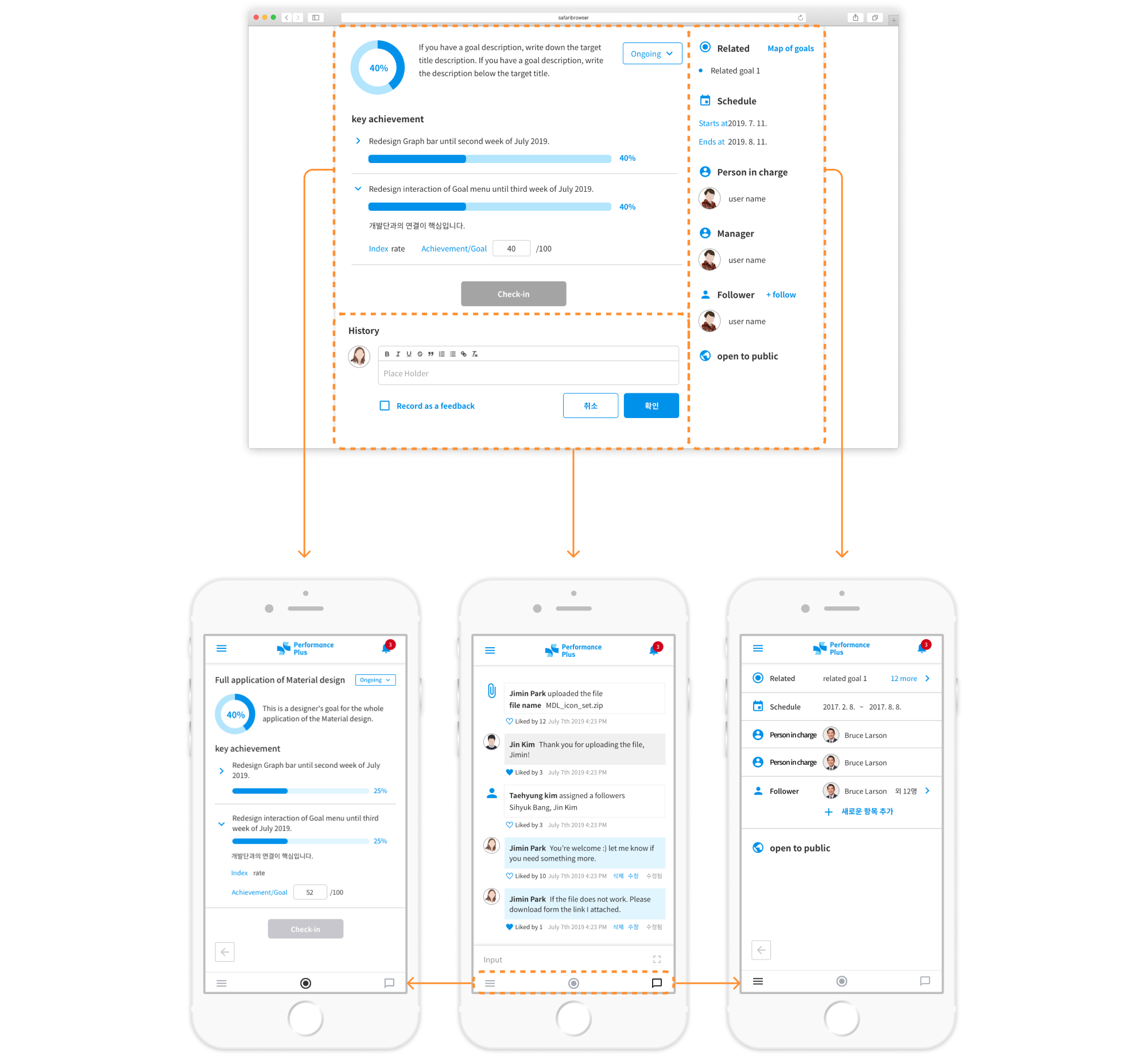
While developing the product, we saw a growing demand for a mobile version. I focused on deconstructing complex desktop features and redesigning them for a mobile-optimized experience. With several iterations, the project was successfully completed.
The following highlights a few of the key features from Performance Plus.
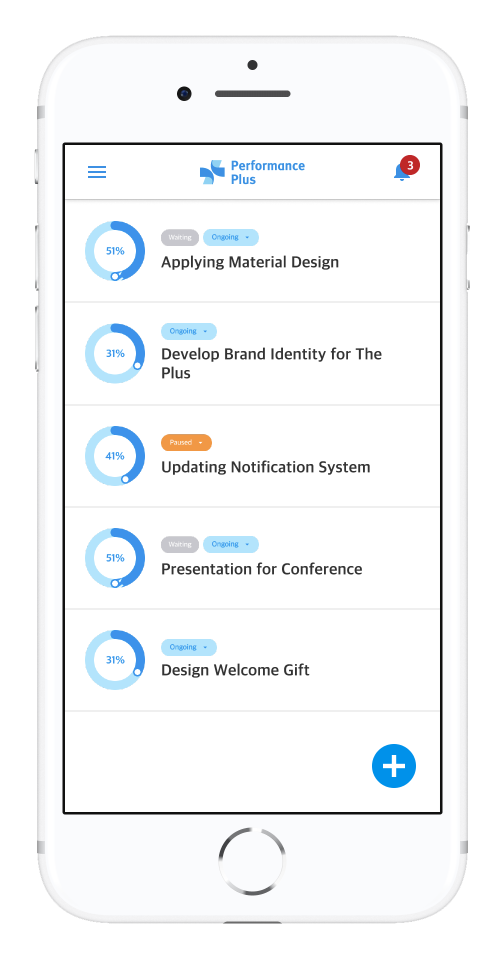
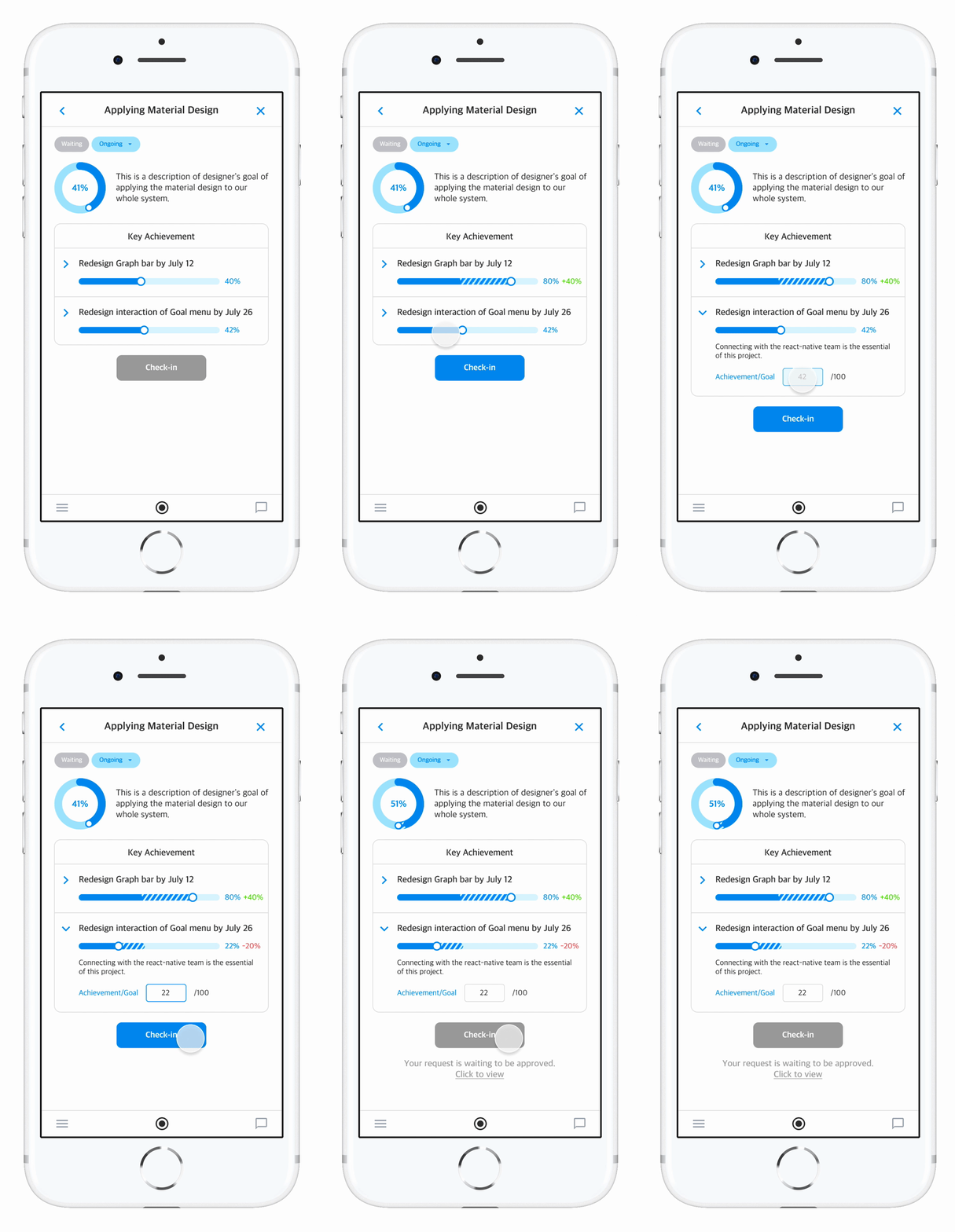
Update and share your goals and progress in real time
- Check in and view your goal achievement rate in real time.
- Share and set the status as well as the achievement rate of the goal.
- Check your colleagues' progress on goals and collaborate immediately.


Interactive feedback system
- Leave feedback simultaneously and lively.
- Intuitively leave feedback using badges that embody core values and capabilities of the company.
- Collect feedback from manager-members, as well as collaborative peer feedback in crowdsourcing manner.

Task boards for simultaneous and systematic collaboration
- Classify the task list by work group or level, and organize tasks systematically.
- Easily share main contents, checklists, and attachments with colleagues.
- Communicate in real time using comments.
Review based on data and feedback
- Feedback from peers automatically accumulat in the system.
- Checking the results of the goal (check-in) is an index of reviewing the progress but also a milestone of what they worked on.
- Managers can check the talent types of members at a glance through the feedback graph.
- The accumulated activities transfers to the data for evaluation of employees’ performance which will be shown as visualization.
